New hire data lands in UKG Pro. Nobody retypes it.
Connect UKG Pro and a worker's onboarding data flows straight into payroll, ready for review, without a single field re-keyed by hand.
At a glance
Why connect it through Onboarded
Onboarding ends, payroll begins, and someone is retyping in between.
A worker finishes onboarding. Now their withholding, direct deposit, and job details have to show up in UKG Pro, so somebody opens two screens and types. That is where a wrong account number, a mismatched filing status, or a stale job code slips in, and you find out on a payroll run.
Eliminate double entry
New hire data is collected once during onboarding and flows straight into UKG Pro. No one keys it a second time.
Cut payroll errors at the source
Tax withholding and direct deposit are pulled automatically instead of re-keyed, so the numbers in payroll are the numbers the worker entered.
Submission-ready before day one
The record is compiled and ready for payroll to review the moment onboarding wraps, not the week after the worker starts.
Reduction in manual data entry. That is what happens when the handoff between onboarding and the systems downstream stops being a person.
Integration features
What the connection actually does
Onboarded compiles a new hire's onboarding data, employee info, job info, tax withholding, direct deposit, and accruals, into a submission-ready UKG Pro record.
Live reference-data sync
UKG Pro's own location, job, and pay group codes stay current, so a placement is never mapped to a code that was retired last quarter.
Field-level error handling
A rejected submission flags the exact field that caused it. Your team fixes one value instead of hunting through a whole record.
Automatic rehire detection
Existing employee records are matched before a new one is created, so a returning worker does not turn into a duplicate.
Configurable per customer
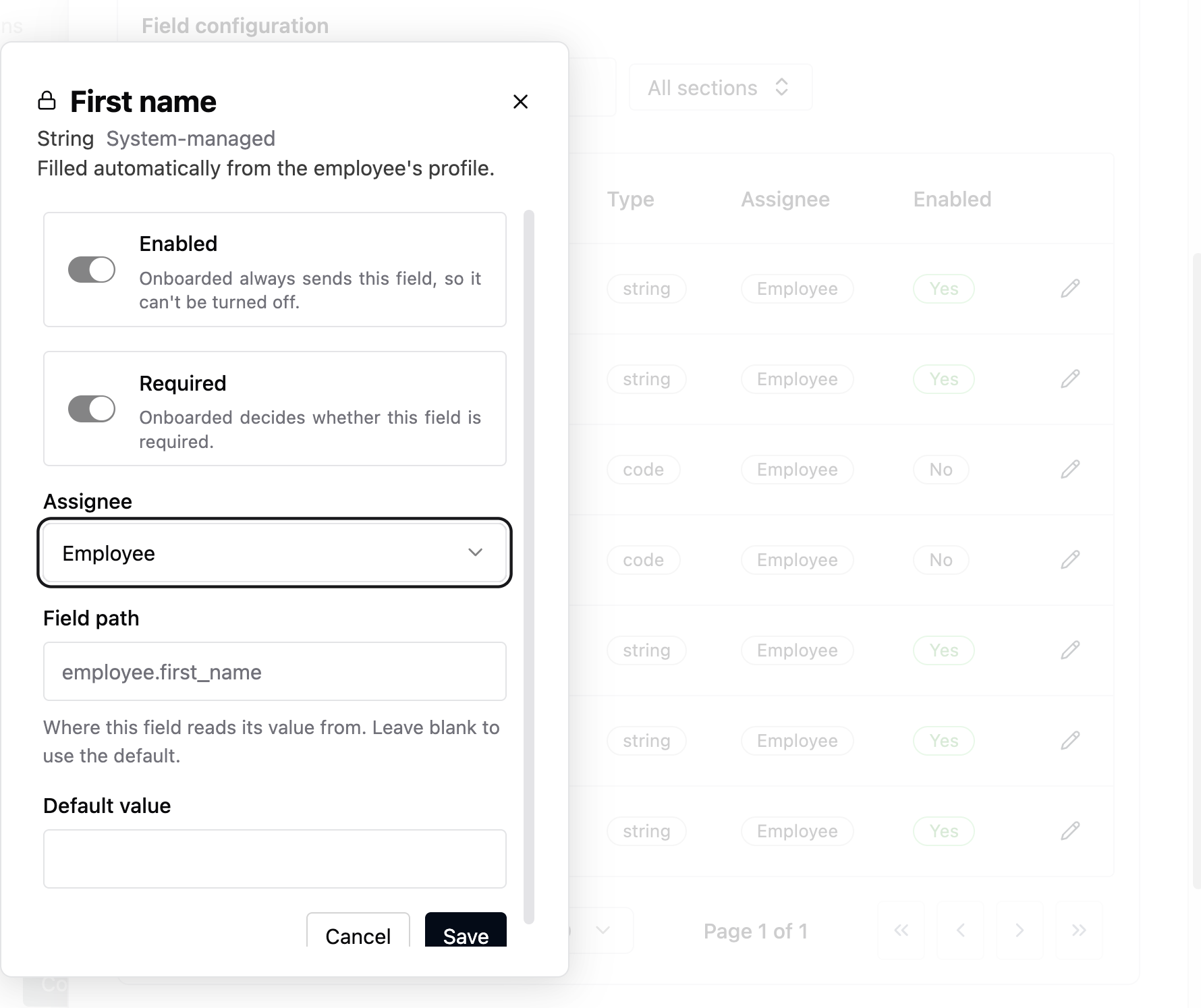
Every field can be enabled, required, assigned, defaulted, or source-mapped out of the box. No engineering ticket to change a mapping.
Inside Onboarded
Every field, mapped where you can see it.
The mapping lives in the product, not in a spec doc somebody has to go find. An admin can see which onboarding source feeds which UKG Pro field, and change it without an engineering ticket.
Field coverage
116 fields, 7 categories, 26 of them required
Required fields are what UKG Pro will not accept a submission without. Everything else is available and configurable per customer.
Fields sent from Onboarded to UKG Pro, by category
Beyond this integration
One connection, not the whole story.
Onboarded is the onboarding and compliance engine for high-volume and complex hiring, and UKG Pro is one of 50+ native integrations. Other tools store the worker record. Onboarded runs the work across the systems you already use.
We do not replace payroll, recruiting, benefits, identity verification, or background checks. We make them work as one, with two-way sync rather than a one-way export.